AI Analyzer 2.0 Available Now (Supports LM Studio & Ollama)
LM Studio Logo Ollama Logo

Effortlessly Export Apple Health Data & Analyze Your Bio-Insights.

Unlock the power of your personal health metrics. Our tool allows you to securely export Apple Health data into JSON, CSV, or XML formats, making it perfect for Apple Health data backup, research, and advanced AI analysis on Mac. Private. Fast. Intelligent.

Download on App Store
iOS 18+ Compatible

Export Data

Select format to begin

CSV
JSON
XML
Active Energy
2,430 records
Heart Rate
15,201 records
Sleep Analysis
365 records
{"type": "HKQuantityTypeIdentifierHeartRate",
"startDate": "2023-10-24T08:00:00Z",
"value": 72,
"unit": "count/min"},
{"type": "HKQuantityTypeIdentifierStepCount",
"startDate": "2023-10-24T08:05:00Z",
"value": 145,
"unit": "count"},
...
Export 45MB File

What is Health Data Export & AI Analyzer?

Our suite of tools empowers you to take full control of your Apple Health data. Seamlessly export Apple Health data from your iPhone, then transfer and analyze Apple Health data on Mac with advanced AI capabilities. Whether you need a secure Apple Health data backup, detailed apple health csv export for spreadsheets, or an AI-ready dataset, we provide the solution.

This professional tool is designed for anyone seeking deeper insights into their well-being, from athletes and researchers to developers and biohackers.

See How to Analyze Apple Health Data on Mac with AI

How to Export Apple Health Data from your iPhone

Our intuitive iOS app makes exporting Apple Health data simple and secure. With just a few taps, you can extract your complete health history, ready for analysis, backup, or sharing.

iPhone App showing Health Data Export

Secure & Versatile Apple Health Data Export

The iOS app is your gateway to owning your health data. Easily perform an apple health csv export, generate XML for developers, or get JSON for advanced analysis. All exports are processed on-device, ensuring maximum privacy for your sensitive information.

  • Export all available health metrics, including activity, heart rate, sleep, and more.
  • Choose between CSV, JSON, and XML formats for compatibility with any tool.
  • Perform quick apple health data backup to keep your historical data safe.

Unlock Deeper Insights:
Analyze Apple Health Data on Mac with AI.

Once exported, transfer your health data to your Mac for powerful local AI analysis. Our Python tool transforms raw Apple Health export data into insightful visualizations and analytics, with AI-powered analysis powered by local LLMs like LM Studio and Ollama.

AI-Powered Health Data Analysis & Visualization

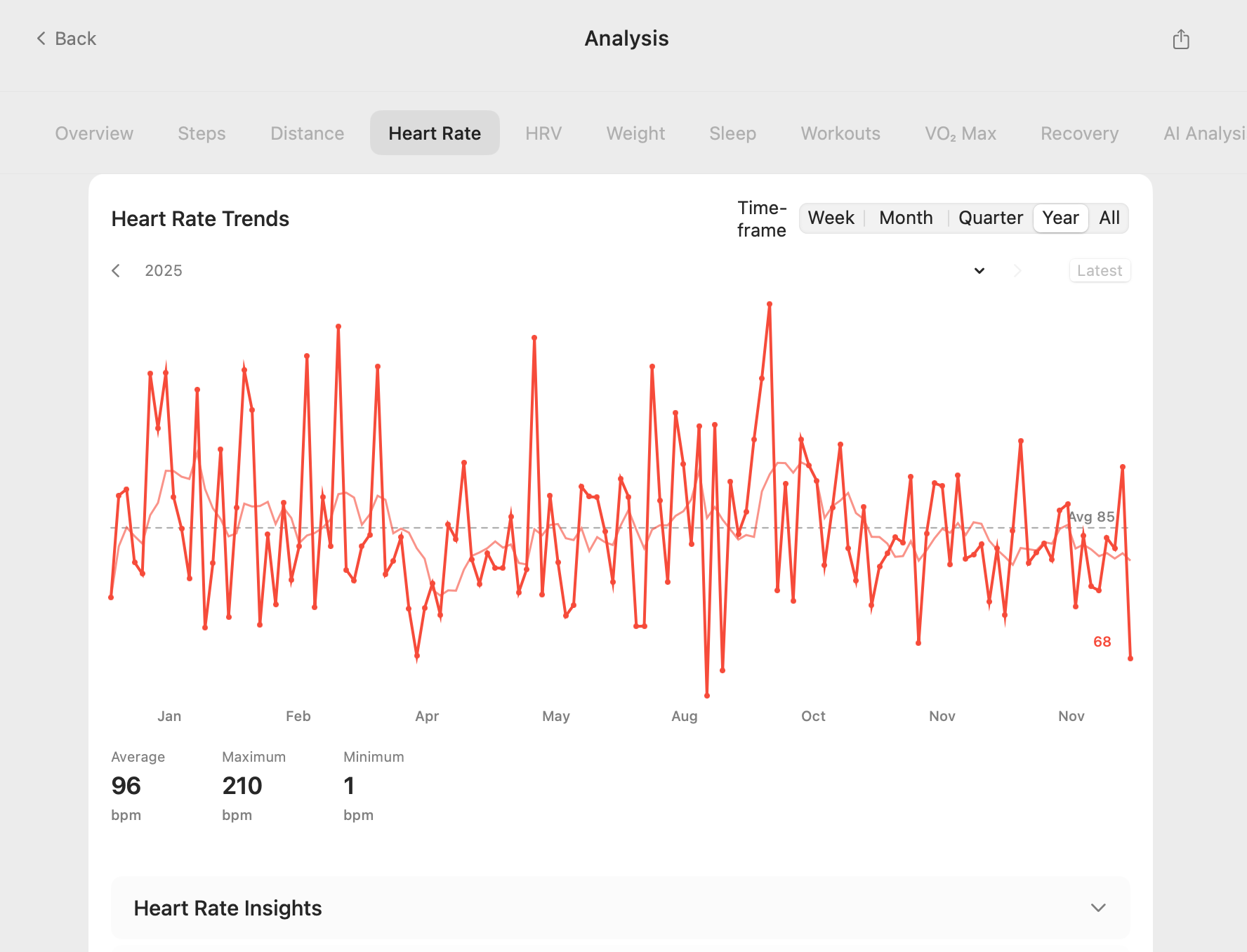
The Mac app is built for comprehensive data exploration. Easily track your fitness journey with detailed analysis of steps, workouts, heart rate, sleep, and more. It offers specialized support for WHOOP workout data and ChatGPT integration for personalized insights, making it the ultimate tool to analyze apple health data on mac.

  • Transform Apple Health XML to CSV or other formats for easy manipulation.
  • Gain actionable insights through local AI-powered reports and visualizations (LM Studio Logo LM Studio, Ollama Logo Ollama compatible).
  • Identify trends, correlations, and anomalies in your health metrics over time.
Mac App showing Health Data AI Analysis

Why Choose Health Data Export & AI Analyzer?

Most health apps lock your data away. We give you the keys. Designed for privacy, speed, and interoperability.

Who Can Benefit?

  • Quantified-Self Users & Biohackers: Dive deep into your metrics.
  • Researchers & Academics: Reliable datasets for health studies.
  • Athletes & Fitness Enthusiasts: Optimize training with personal data.
  • Developers: Clean, structured data for custom apps and integrations.
  • Healthcare Professionals: Comprehensive patient data insights.
  • Anyone seeking Apple Health Data Backup: Secure your vital health history.

Universal Formats for Apple Health Data Export

Don't get stuck in a proprietary garden. Easily export Apple Health data to industry-standard CSV, JSON, and XML formats that work with Python, Excel, Tableau, and more.

// JSON Output for Developers
{ "heart_rate": 64, "unit": "bpm" }

Private & Secure Apple Health Data Backup.

Your health data never leaves your device. All processing happens locally on your iPhone, ensuring maximum privacy for your Apple Health data backup.

No Cloud Storage
Works Offline
FaceID Protected Exports

Precision History

Export the last 7 days or your entire lifetime history. Granular control over date ranges.

AirDrop Ready

Beam massive datasets directly to your Mac for analysis instantly. No email limits.

AI Analyzer: Apple Health Data AI Ready

Get clean, structured data ready for LLMs and custom analysis tools to analyze Apple Health data on Mac with AI.

Seamlessly Integrate Your Health Data.

Whether you are a developer building a dashboard, a researcher analyzing trends, or a user creating a secure backup, our data exports are perfectly formatted for immediate use. Easily convert Apple Health XML to CSV, JSON, or leverage raw XML for any project.

Apple Health CSV Export for Spreadsheets & Databases

Get a flattened, easy-to-read structure with columns for Type, Date, Value, Unit, and Source. Ideal for direct import into Excel, Google Sheets, or any relational database. Facilitates quick data visualization and analysis.

JSON Export for Developers & APIs

Receive nested objects with full metadata, perfect for programmatic access. Seamlessly integrate with Python (pandas), JavaScript visualization libraries, or custom applications. Ready for advanced Apple Health data AI projects.

XML Export for Comprehensive Data & Transformation

Access the raw, original structure of your HealthKit data. Essential for specialized transformations, data migration, or when you need to convert Apple Health XML to CSV using custom scripts.

export_data.json
"health_data": [
  {
    "type": "HKQuantityTypeIdentifierHeartRate",
    "source": "Apple Watch Ultra",
    "unit": "count/min",
    "samples": [
      {
        "date": "2025-01-24T08:30:00Z",
        "value": 72
      },
      {
        "date": "2025-01-24T08:35:00Z",
        "value": 78
      }
    ]
  }
]

Guides & Resources

Explore our in-depth guides on exporting, analyzing, and backing up your Apple Health data.

Frequently Asked Questions

Q: How do I export Apple Health data from my iPhone?

A: Our iOS app, "Health Data Export," allows you to effortlessly export all your Apple Health data directly from your iPhone. Simply select your desired date range and format (CSV, JSON, or XML), and the app handles the rest securely on-device.

Q: Can I get an Apple Health CSV export?

A: Yes! The iOS app supports direct Apple Health CSV export. This format is ideal for analysis in spreadsheets like Excel or Google Sheets, offering a clear, tabular view of your health metrics.

Q: How can I analyze Apple Health data on Mac with AI?

A: After exporting your data using our iOS app, you can seamlessly transfer it to your Mac. Our accompanying Python tool (AI Analyzer) processes this data, providing AI-powered insights, visualizations, and integrations with tools like ChatGPT for advanced analysis.

Q: Is my Apple Health data secure during export and analysis?

A: Absolutely. Our iOS app performs all data processing locally on your device, ensuring your sensitive health information never leaves your iPhone or goes to the cloud. The Mac AI Analyzer also operates locally, prioritizing your privacy and data security.

Q: What is the benefit of converting Apple Health XML to CSV?

A: While XML provides a comprehensive, structured dataset, CSV is often preferred for its simplicity and compatibility with most data analysis tools, including spreadsheets. Our Mac AI Analyzer can help you easily convert Apple Health XML to CSV for more straightforward manipulation and visualization.

Q: Is this tool suitable for Apple Health data backup?

A: Yes, it's an excellent solution for comprehensive Apple Health data backup. Exporting your data to CSV, JSON, or XML gives you a personal, accessible copy of your entire health history, independent of Apple's ecosystem, for long-term safekeeping.