Analyze Apple Health Data With AI on Mac
You've successfully managed to export your Apple Health data. You have a clean CSV or JSON file sitting on your computer. Now what? Raw data is powerful, but its true value is unlocked through analysis. This guide shows you how to analyze your Apple Health data on a Mac, turning years of records into meaningful charts, trends, and AI-powered insights.
Export → AirDrop → Analyze with Claude, ChatGPT, or any AI.
From Data Points to Personal Insights
According to Apple Support, the Health app stores over 100 data categories via HealthKit — yet the built-in graphs only surface a handful of them at once. Getting real insight means combining metrics: sleep alongside HRV, step count alongside resting heart rate.
The Apple Health app provides basic graphs, but they often lack context and the ability to overlay different data types. True analysis means answering complex questions like:
- "How does my sleep duration over the last month correlate with my resting heart rate?"
- "Is my cardio fitness (VO2 Max) trending up or down over the past year?"
- "What were my average heart rate recovery stats across all my HIIT workouts in the last quarter?"
Answering these questions requires tools more powerful than the mobile app. It requires a dedicated Mac health data analysis workflow.
Introducing "AI Analyzer" for Mac
According to Apple's HealthKit documentation, the XML export bundles every authorized data type into a single file — including over 100 health categories: steps, heart rate, HRV, sleep stages, workouts, and more. The AI Analyzer for Mac reads that export and generates interactive dashboards automatically, no manual data wrangling required.
Our free "AI Analyzer" tool is designed to be the brain of your personal health data workflow. Built with powerful data science libraries in Python, it takes the clean data file from our "Health Data Export" iOS app and automatically gets to work.
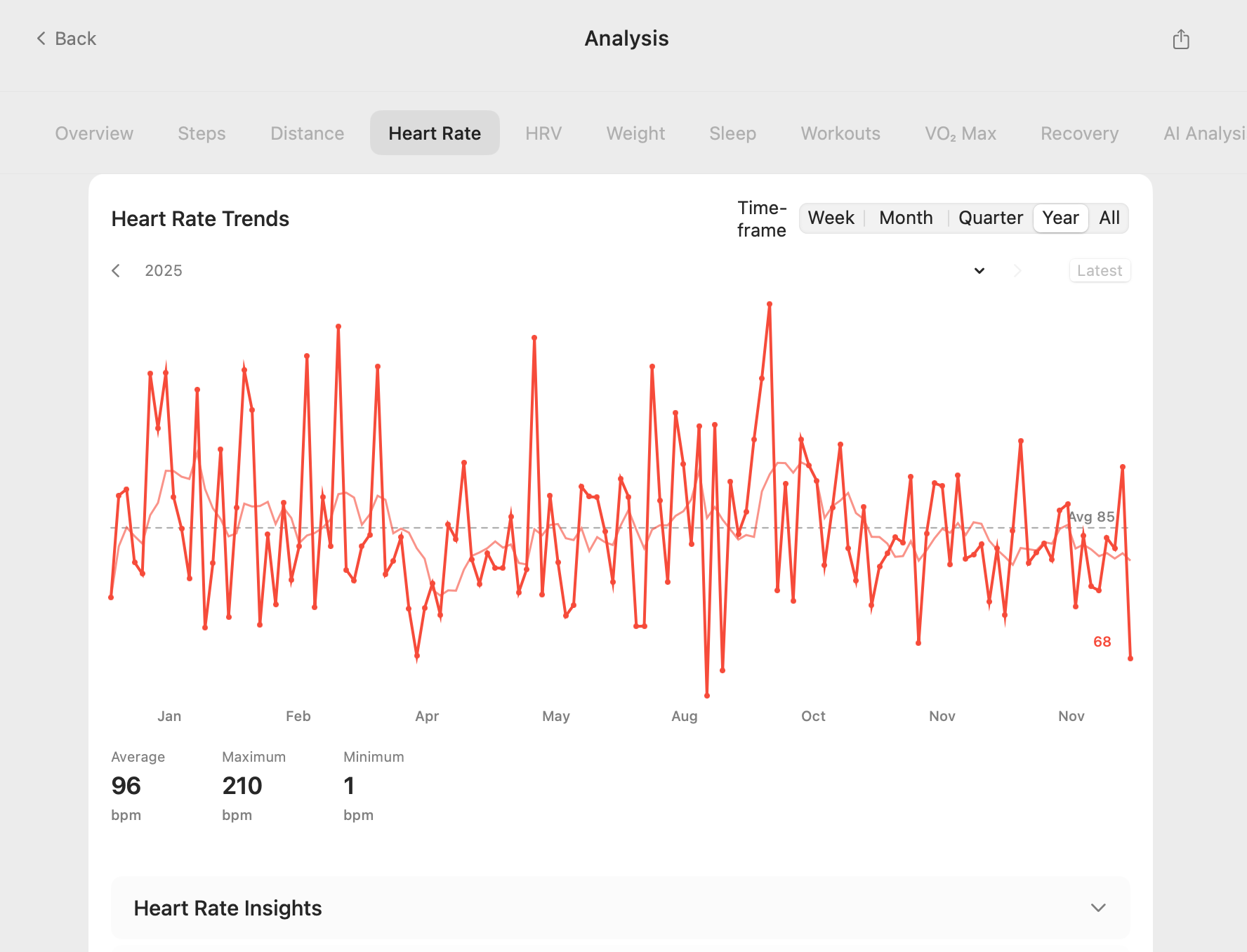
Key Features:
- Automatic Dashboards: Upon loading your data, the tool generates interactive charts for key metrics like activity, heart rate, sleep, and workouts.
- AI-Powered Summaries: Leveraging Large Language Models (LLMs), the analyzer provides natural language summaries of your trends.
- Correlation Matrix: Discover relationships between different health metrics you might not have noticed.
- Workout Deep Dives: Get detailed performance analysis for your workouts, including heart rate zones and recovery times.
- Privacy-Focused: Runs entirely locally on your Mac. Your health data is never uploaded.
Who is This Analysis Workflow For?
Apple has sold over 200 million Apple Watches worldwide (per Statista), and every one generates continuous health data — yet most owners never analyze their trends beyond the default Health app view. This workflow is for anyone who wants more.
- The Quantified Self: For those who are passionate about self-improvement and want to use data to optimize their health, fitness, and wellness.
- Athletes: To move beyond basic app metrics and perform a "post-season" review of training data.
- The "Health-Curious": For anyone who wants a "State of the Union" for their personal health, presented in a clear and understandable way.
- Technical Users: For developers and data scientists who can use the tool's output as a starting point for even more advanced, custom analysis in Python or R.
If you have ever had to convert Apple Health XML to CSV, you know the pain of data preparation. This workflow is designed to make that a distant memory, focusing your time on insight, not cleanup.
Your Data, Your Discoveries
A 2021 study in npj Digital Medicine (Nature) found that continuous passive health monitoring through wearables can surface clinically meaningful patterns — irregular heart rhythm, sleep debt, declining cardio fitness — weeks before symptoms appear. Your exported Apple Health data contains those same signals.
The goal of Apple Health AI analysis isn't just to create fancy charts; it's to facilitate discovery. It helps you connect the dots between your daily habits and your long-term health outcomes.
If you're comparing cloud AI tools, start with the AI health analysis comparison hub for Copilot Health, Perplexity Health, ChatGPT, Claude, Gemini, and local-first Apple Health workflows.
Frequently Asked Questions
How do I analyze Apple Health data with AI on a Mac?
Export from the iPhone Health app (profile photo → Export All Health Data), convert the XML to CSV or JSON with a local converter, then load the file into Claude or ChatGPT on Mac. According to Apple Support, the export includes all HealthKit data types stored on device. For a fully private workflow, Health Data Export & AI Analyzer keeps every step on-device.
What Apple Health data types can I analyze with AI?
Apple Health stores over 100 data types via HealthKit — resting heart rate, HRV, sleep stages, step count, VO2 Max, blood oxygen, and workout routes. Per Apple's HealthKit documentation, third-party apps can read any category the user has authorized, making all of it available for AI correlation and trend analysis on Mac.
Is it safe to upload Apple Health data to an AI chatbot?
Uploading the full XML export means your heart rate, sleep, and workout location data are processed on third-party servers. Apple's privacy guidelines recommend sharing only the data types needed for a specific query. The safer approach: analyze locally on Mac first, then send only a summarized, non-identifying snippet to a cloud AI.